



Content Pruning for SEO: What to Cut, Merge or Keep
Content pruning is the process of reviewing every page on your website and deciding whether to update it, merge it with another, redirect it or remove it. Done well, it concentrates your site’s authority on the pages that earn enquiries. Done badly, it deletes pages that were quietly bringing in traffic and links. The difference is the decision-making, not the deleting.
This guide is written for business owners and marketing managers who have a website that has grown over the years, and who want a clear process they can follow, or brief an agency to follow, without losing hard-won rankings.
TL;DR
- Content pruning is not mass deletion. It is a review that ends in one of four actions for each page: keep, update, merge or remove.
- Judge pages on more than traffic. A page with few visits but good conversions, or strong backlinks, is still working for you.
- Never delete a page that has traffic or links without a 301 redirect (a permanent forward) to the closest relevant page.
- Work in batches and record a baseline first, so you can see what changed and roll back if needed.
- Pruning suits sites with a real backlog of thin, duplicate or outdated pages. A small, tidy site usually needs updating, not cutting.
Table of Contents
- What content pruning actually is
- Why it can help your rankings
- Is your site a candidate?
- How to find the pages that need attention
- Update, merge, redirect or remove: a decision guide
- A content pruning process you can follow
- Common mistakes to avoid
- Pruning is one part of a wider audit
- Where Hook can take this off your hands
- Our view: prune with a purpose
- FAQ
- Sources
What content pruning actually is
Think of your website as a garden. Over time, blog posts written for a campaign that ended, service pages that overlap, and news items from years ago all pile up. Search Engine Land describes content pruning as a strategic audit in which you decide how to improve or remove content that no longer meets your business and marketing objectives. That includes pages that no longer represent what you do, fail to drive traffic or conversions, or are no longer the best page for a search topic.
Three outcomes are possible for any page:
- Refresh it: improve the quality, accuracy and relevance of a page that still has a purpose.
- Consolidate it: combine similar or duplicate pages into one stronger page.
- Remove it: delete content that cannot be reused, and redirect the address where appropriate.
So “pruning” covers editing and merging as much as deleting. If a guide only talks about deleting, it is describing the riskiest third of the job.
Why it can help your rankings
There are three reasons pruning is worth the effort.
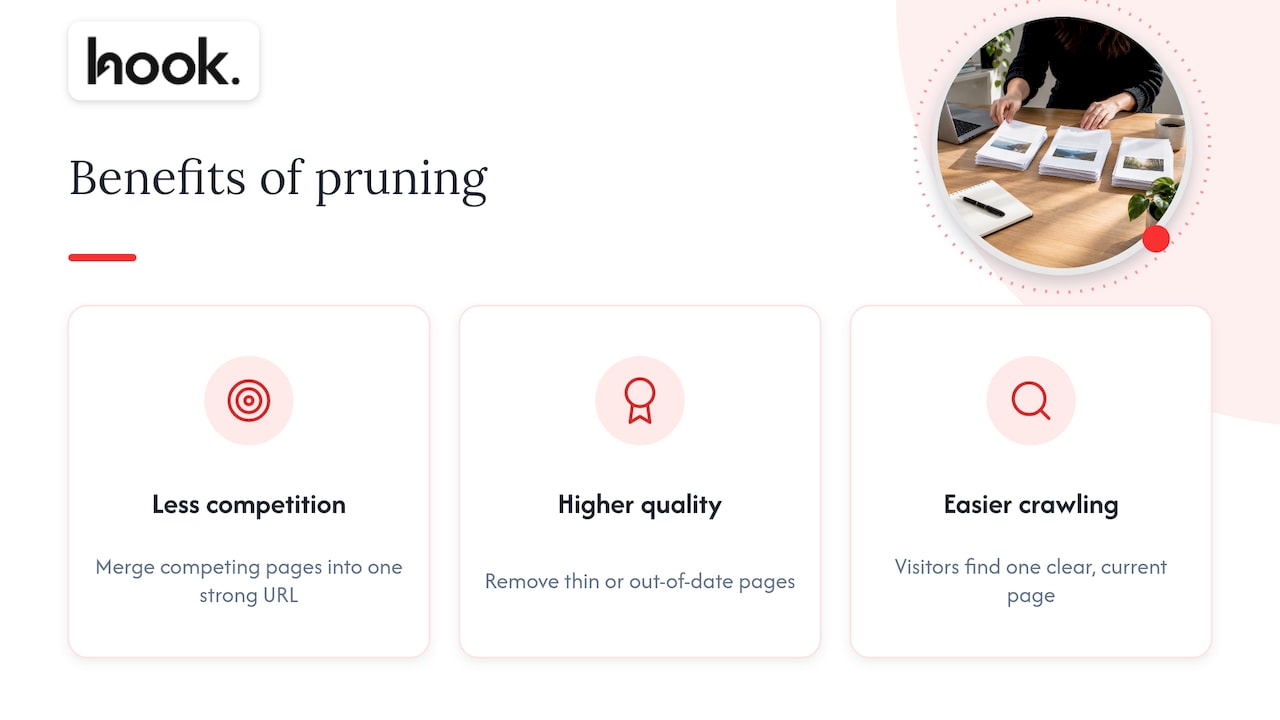
1. It stops your own pages competing. When several pages target the same search intent, Google has to pick one, and it may not pick the one you would. This is called keyword cannibalisation. Merging those pages into one strong URL gives search engines a clear answer and gives your authority one place to build.
2. It lifts the average quality of the site. Google has said that a large share of unhelpful content can drag down how the rest of a site performs. Cleaning out thin or out-of-date pages is a way to show that what remains is worth ranking.
3. It makes the site easier to crawl and use. Search engines only spend so much time on any one site, which matters most on very large sites, those with many thousands of pages. For a typical Oxfordshire business with a few dozen or a few hundred pages, crawl budget is rarely the main problem. The more immediate gain is that visitors find a clear, current page instead of three half-answers.
It is worth being straight about expectations: results are not guaranteed, and published case studies usually combine deletion with rewriting and new publishing, so the effect of cutting alone is hard to isolate. That is exactly why a careful, staged process matters.
Is your site a candidate?
Pruning pays off when you recognise several of these signs:
- Many blog posts that have received almost no organic visits for a year.
- Old pages for services, staff, events or offers that no longer exist.
- Several articles answering essentially the same question.
- Pages with very little text that cannot satisfy what a searcher wanted.
- Broken internal links, outdated prices or information that is now wrong.
- A gradual decline in impressions or rankings across a section of the site.
If your site has 25 pages, all current and distinct, skip pruning and put the time into improving those pages. If it has 400 pages built up over a decade of blogging, it is probably overdue.
How to find the pages that need attention
Start with data you already own. Google Search Console (Google’s free report on how your site performs in search) shows clicks and impressions per page. Your analytics tool shows engagement and conversions. A crawl of the site gives you a list of every URL, and a backlink report shows which pages have earned links from other sites.
Put these into one spreadsheet, one row per URL, and look at a period of at least six to twelve months so seasonality does not fool you. A common set of candidates is:
- pages with zero or near-zero organic visits over twelve months, unless they are strategically important or well linked to;
- pages that rank for no search query at all;
- thin pages that cannot meet the searcher’s need;
- pages that duplicate the intent of a stronger page;
- outdated or inaccurate pages that cannot realistically be updated.
A simple filter helps with scale. Search Engine Land suggests flagging any page with fewer than 100 clicks in six months for human review. The word “review” matters: the flag is a prompt to look, not a verdict. The same guidance is clear that a page with low clicks but high conversions is still doing its job and should stay.
Check the value that traffic does not show
Before a page goes on the removal list, ask:
- Does it have backlinks from reputable sites?
- Does your sales team send it to prospects, such as a pricing explainer or a case study?
- Is it a historical record you need, such as a press release?
- Does it still match what you do and who you want to reach?
- Does it compete with another page you would rather rank?
A page that fails every one of those tests is a safe removal. A page that passes any of them should be updated, merged or kept.
Update, merge, redirect or remove: a decision guide
The table below turns the review into a repeatable decision for each page.
| Situation | Action | What to do |
|---|---|---|
| Relevant topic, but out of date or thin | Update | Rewrite, add current detail, refresh internal links, keep the same URL |
| Two or more pages serve the same search intent | Merge | Pick the strongest URL, move the best sections into it, 301 redirect the others to it |
| Irrelevant and outdated, but has backlinks or traffic | Redirect | 301 redirect to the most relevant remaining page |
| Irrelevant, outdated, no links, no traffic, no sales use | Remove | Delete, and send the address to a relevant page, or let it return a 410 (“gone”) if nothing fits |
| Useful to your team or customers but not worth ranking | Keep out of search | Leave it live and add a noindex tag so search engines drop it |
| Low traffic but strong conversions or links | Keep | Leave it, and consider improving it |
Two details are worth knowing. First, when you merge, Search Engine Land advises choosing the winner by clicks or backlink profile, not by which page you like best. Second, it recommends deleting only when content is irrelevant, outdated and has no strategic value, always with a 301 redirect to the most relevant remaining page, and leaving the URL in place if high-quality backlinks point to it.
A noindex tag is an instruction in the page’s code that tells search engines not to list it. If you use it, do not also block the page in your robots.txt file: Google must be able to crawl the page to see the instruction.
A content pruning process you can follow
1. Take a baseline
Before you change anything, record organic traffic, the keywords driving the most clicks, rankings, backlink data, conversions and the internal links pointing to and from each page you might change. Without this you will never know whether pruning helped.
2. Build the full inventory
List every indexable URL with its clicks, impressions, conversions, backlinks, last update and topic. Group the pages by topic. Groups are where cannibalisation shows up: if six pages sit under “Oxford office fit-out costs”, you have a merge candidate.
3. Decide every page’s fate first
Assign each URL an action from the table above before touching any of them. Making decisions page by page while editing leads to inconsistency and broken redirect chains. A short note on why each page got its verdict also saves arguments later.
4. Plan the redirects
For every page that goes, choose the destination. It should be the closest match on topic, not simply the homepage. Redirecting unrelated pages to the homepage wastes the value they held and confuses visitors. Check that each redirect goes straight to the final page rather than through a chain.
5. Work in batches
A sensible order is to consolidate first, then update, then remove, checking performance between each stage. Start with a small batch, say the 30 or so weakest pages, and watch what happens before moving to the rest. If something goes wrong, a small batch is easy to reverse. A whole-site purge is not.
6. Fix the internal links
Once pages are merged or removed, update your navigation, blog links and calls to action so they point to the surviving page. Leaving links pointing at deleted pages creates errors, and removed pages that return a 404 error simply fall out of Google’s index along with their traffic.
7. Check that Google has noticed
Use the URL Inspection tool and the Page indexing report in Search Console on a sample of changed URLs. You want to see redirects followed, noindexed pages dropped and updated pages recrawled.
8. Measure and learn
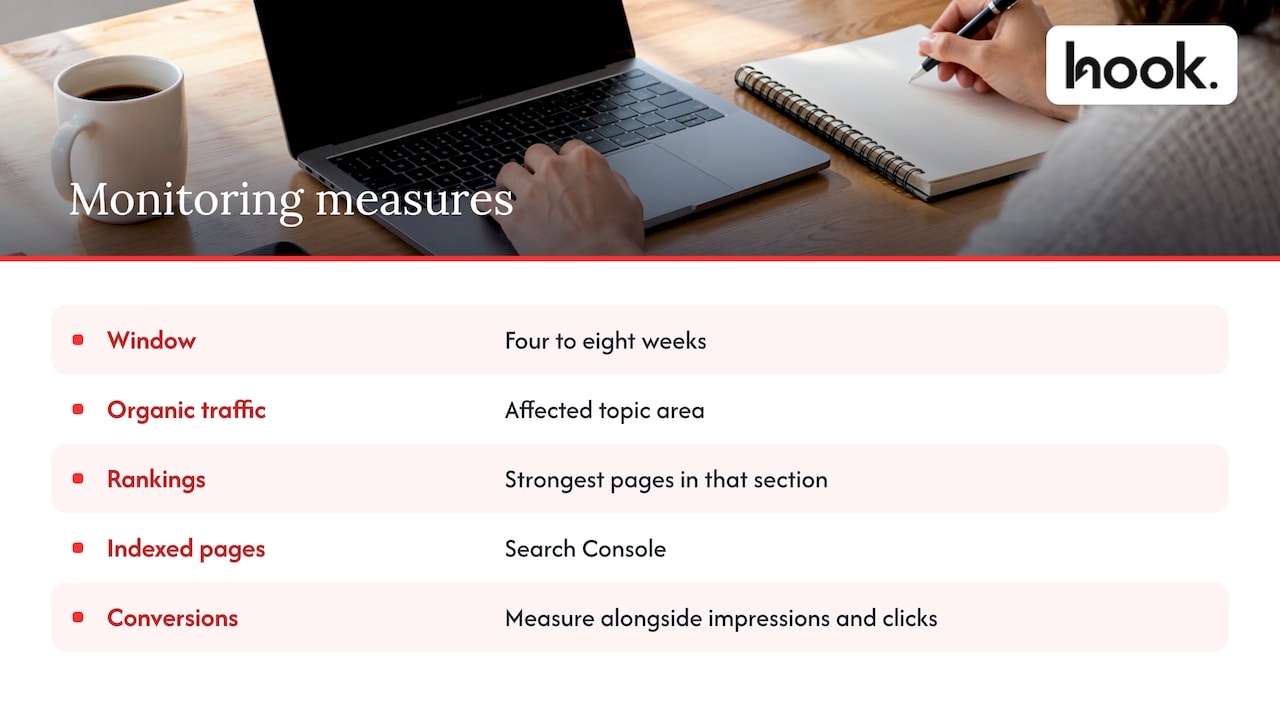
Give it time. A reasonable monitoring window is four to eight weeks, looking at organic traffic for the affected topic area, rankings for your strongest pages in that section, and the number of indexed pages in Search Console. You should see traffic hold or improve, and the strongest pages often benefit as authority concentrates. Also measure impressions as well as clicks, and conversions, because a pruned site can lose low-value visits while gaining enquiries.
Common mistakes to avoid
- Judging on traffic alone. Low traffic does not mean no value. Look at conversions, links and sales use.
- Deleting without redirecting. Pages with links or visitors lose that value if the address simply errors.
- Redirecting everything to the homepage. Send each page to its closest topical match.
- Doing it all at once. You cannot tell what caused a change, and you cannot easily undo it.
- Pruning and rewriting in one blast. If you change everything simultaneously, you will never learn which action worked.
- Treating it as a one-off. A yearly review keeps the site tidy and prevents another backlog building.
If you publish with AI tools, a pruning review matters even more, because volume builds up quickly. Our piece on a hybrid AI and SEO workflow shows how to keep quality high so you prune less later.
Pruning is one part of a wider audit
Pruning decisions work best when they sit alongside a check of how search engines actually see your site. If pages are not being indexed, or are blocked by technical problems, deleting content will not fix it. A technical SEO audit tells you which problem you really have. If you want to place pruning inside a broader review of your marketing, our marketing audit framework shows how the pieces connect, and our guide to the role of SEO in demand generation explains why the pages that remain should be tied to enquiries, not just visits.
Where Hook can take this off your hands
A pruning project touches strategy, copywriting, redirects, design and tracking. That is a lot of coordination when it is split across several suppliers. Hook is an Oxfordshire marketing agency built so you only have to talk to one team: our SEO and performance optimisation and website design and development services cover the audit, the page decisions and the changes on the site itself. Our project scopes are tailored, with no forced packages, we offer a client portal for direct communication and updates, and we turn around content and website amends within 48 hours. If you would rather have the whole of your marketing handled together, see our full service marketing offer.

Our view: prune with a purpose
Most businesses we speak to do not have a content problem. They have a clarity problem. The website says a bit of everything, written by different people at different times, and nobody is sure which pages are meant to bring in work.
That is why we start pruning with a question about the business, not a spreadsheet: which services do you want more of, and which pages should be winning those enquiries? Once that is clear, every page gets a role, and the decisions about what to update, merge or retire become much easier to defend.
It is also why we prefer to keep SEO, copy, design and development under one roof. A merged page needs better writing, a tidy layout, correct redirects and tracking that still works afterwards. When one team owns all of it, nothing falls between suppliers, and amends happen quickly.
Our advice is simple: be careful, go in batches, and treat every deletion as a decision you may need to explain later.
Hook
FAQ
Does content pruning really help SEO?
It can, particularly where a site carries many thin, duplicate or outdated pages. Gains come from clearer signals, stronger consolidated pages and a better overall impression of quality. Results are not guaranteed, which is why you should record a baseline and work in batches.
How many pages should I delete?
There is no target number. Only remove pages that are irrelevant, outdated and without links, traffic or sales value. Many pages flagged by a filter will turn out to need updating or merging instead, so the number deleted is often smaller than owners expect.
Should I use a 301 redirect, a 404 or noindex?
Use a 301 redirect when a page has traffic or backlinks and a close replacement exists. Use noindex when a page should stay live for people but not appear in search. A 404 or 410 is for pages with no value and no sensible replacement. Do not block noindexed pages in robots.txt.
How long before I see results?
Allow roughly four to eight weeks after a batch, then judge traffic for the affected topic, rankings for your strongest pages and the indexing picture in Search Console. Changes can take longer on larger sites, so check at each stage before moving on.
How often should I prune my content?
For most business sites a review once a year is enough. If you publish frequently or run several campaigns, a twice-yearly check stops a backlog from forming.


