
.webp)

.svg)
Staff Headshots Guide: How to Plan a Team Photo Day
Good staff headshots come down to three decisions made before anyone picks up a camera: what the images are for, what style they should share, and how you will get a whole team through the session without wrecking the working day. Get those right and the photography itself is the easy part. This guide walks you through the planning, the briefing, what people should wear, which backdrop to choose and what to do about the people who miss the day.
TL;DR
- Decide where the images will be used (website, LinkedIn, proposals, press) first. It sets the background, crop, file sizes and budget.
- Name one internal organiser and one final approver, and give staff 1 to 2 weeks’ notice with a short written briefing.
- Consistency comes from the same backdrop, lighting, framing and retouching, not from forcing everyone into the same expression.
- Tell people to wear simple, well-fitting, solid colours they would wear to an important meeting, and to bring a backup top.
- Plan for absentees, remote staff and future starters now, and write the style down so the set still matches in two years.
Table of Contents
- Start with what the images are for
- Set up the project properly
- Brief your team in good time
- What to wear for staff headshots
- Choosing a backdrop
- Making the set consistent without making it stiff
- Run the day smoothly
- After the shoot: selection, delivery and housekeeping
- Plan for absentees, remote staff and new starters
- Our perspective
- Staff headshots with Hook Digital
- FAQ
- Sources
Start with what the images are for
Every later decision hangs on this one. A headshot for a “Meet the team” page can be a loose, friendly crop. A headshot that also goes on LinkedIn, tender documents, speaker slides and press releases needs to work as a tight square, a portrait rectangle and a small circular thumbnail without cutting off anyone’s chin.
Before you book, list every place the images will appear. For most Oxfordshire businesses that list looks something like this:
- Website team and about pages
- Staff LinkedIn profiles and email signatures
- Proposals, pitch decks and tender documents
- Press releases, awards entries and event programmes
- Internal systems such as the intranet and building passes
Then turn the list into instructions for the photographer: orientation (portrait or landscape), how much empty space to leave around the head so the crop can change, the file formats and sizes you need, and how heavily the images should be retouched. If you are still deciding on the look, LinkedIn profile tips are a useful reminder that the same photo has to read well at thumbnail size as well as on a large web page.
It also helps to treat the headshot as part of your brand, not a one-off admin job. If your colours, tone and imagery already follow a set of rules, the headshots should too. Our guide to why consistent branding builds trust explains why, and our piece on what to put in brand guidelines shows where photography rules fit.
Set up the project properly
The teams that get stuck are rarely stuck on photography. They are stuck on “who decides?” and “who told Priya?”. A short project brief solves most of it.
Appoint two roles
Name one internal organiser, usually someone in HR, operations or marketing, who owns the schedule, the staff communication and the room. Name one final approver who signs off the style and any disputes about which image is used. Without the second role, a headshot day tends to end with the managing director’s preferences overriding the agreed style after the fact.
Write the brief
A useful brief covers:
- People: how many staff, how many are remote or part-time, who is on leave around the date.
- Locations: one office, several sites, or a studio. Share photos of the room you propose to use, including window light and available space.
- Uses: the list from the previous section.
- Visual style: background, lighting mood, crop, retouching level.
- Scheduling: appointment length, breaks, setup time and a buffer.
- Delivery: who chooses the final image, how many each person receives, file sizes, naming and delivery date.
- Usage rights: who owns the images, where you can use them and for how long.
Put the commercial points in writing before you commit to any photographer. In particular, check who selects the final images, what each person receives, what retouching is included, what extra selections cost, and whether crop options are part of the price. Surprises here are the most common source of arguments after the shoot.
Let the photographer size the day
Don’t assume a fixed number of people per hour. A good photographer will tell you how long each appointment should be, how long they need to set up and where breaks and a buffer should sit. As a rough planning guide, sessions of 5 to 15 minutes per person are typical for a quick studio-style setup, with extra time for senior leaders or anyone who wants a wider choice of poses. Treat that as a starting point and confirm with whoever is shooting.
Brief your team in good time
Give staff at least a week or two of notice. That is long enough to sort an outfit, move a haircut away from the day before, and rearrange a diary. For a large or multi-site team, two to three weeks between announcement and the first session is kinder still.
Your briefing email should be short and answer the questions people will otherwise ask you one by one:
- Date, time slot and exact location, including which floor and room
- Why you are doing it and where the images will appear
- How long it takes (and that it is not a test of how photogenic anyone is)
- What to wear, with two or three sample images if you can
- Who to contact if they cannot attend
Block the slots in people’s calendars rather than relying on the email being read. Even if each session is only 5 to 10 minutes, a calendar invite keeps the queue short and the day moving.
Handle the people side with care
Some people dislike being photographed, and others may have reasons to be wary of how their image is used. Tell them what will be done with the pictures, how long you will keep them and who to speak to if they have concerns. A staff photograph is personal data when someone can be identified from it. Employers do hold employee images: for example, Buckinghamshire Council’s HR privacy notice lists visual images among the information it may hold and sets out the different legal bases it relies on for processing staff data. Your own position depends on how you use the images, so if you are unsure, ask your data protection lead or a qualified adviser before publishing anyone’s photo, and make sure people know how to ask for their image to be removed when they leave.
What to wear for staff headshots
This is the part everyone asks about, so put it in the briefing in plain terms.
Do:
- Wear what you would put on for an important meeting in your role. A client-facing solicitor and a creative director will dress differently, and that is fine.
- Choose solid, mid-tone colours. Navy, charcoal, forest green, burgundy and warm grey tend to photograph well.
- Prioritise fit and comfort. Clothes that pull, gape or ride up show in the image, and so does fidgeting.
- Bring a second option, such as a different jacket or top, in a contrasting shade. It gives the photographer something to work with if the first choice clashes with the backdrop.
- Press or steam clothes, check collars and ties, and empty bulky pockets.
- Style hair as you normally would and keep facial hair neat. Natural, matte makeup works best under studio lights.
- Sleep well and drink water the day before. Avoid a fresh haircut on the morning itself.
Avoid:
- Busy patterns, fine pinstripes and tiny checks, which can create a shimmering effect on camera known as moiré
- Large logos and slogans
- Very casual items such as hoodies or sports tops, unless that really is your workplace dress code
- A bright white shirt with no layer over it, as strong studio light can wash out detail. A jacket, blazer or cardigan helps
Coordinate without a uniform
You want the set to look like one team, not a line of clones. The simplest rule is to agree a formality level and a loose colour range, then let people choose within it. If the backdrop is mid-grey, ask for deeper or richer colours; if it is dark, ask for lighter or mid tones so shoulders and hair stand apart from the background. Individuality can come through in the cut of a jacket, a scarf or a tie, as long as the overall formality matches.
Choosing a backdrop
The backdrop is the most visible consistency decision you will make, and also the one that is hardest to change later. The main options look like this:
| Option | Best for | Watch out for |
|---|---|---|
| Plain white | A clean, bright, modern look; web pages with white space | Can feel clinical; white shirts and pale hair can merge into it |
| Mid or light grey | Teams with varied clothing; flattering for most skin tones | Can look flat if the lighting is poor |
| Dark grey or charcoal | A more formal, serious tone | Dark clothing and hair need separation from the background |
| Brand colour | Strong brand recognition on team pages | Clashes with some outfits; see the tip below |
| Controlled office setting | Adds context and personality | Hard to repeat exactly for new starters or remote staff |
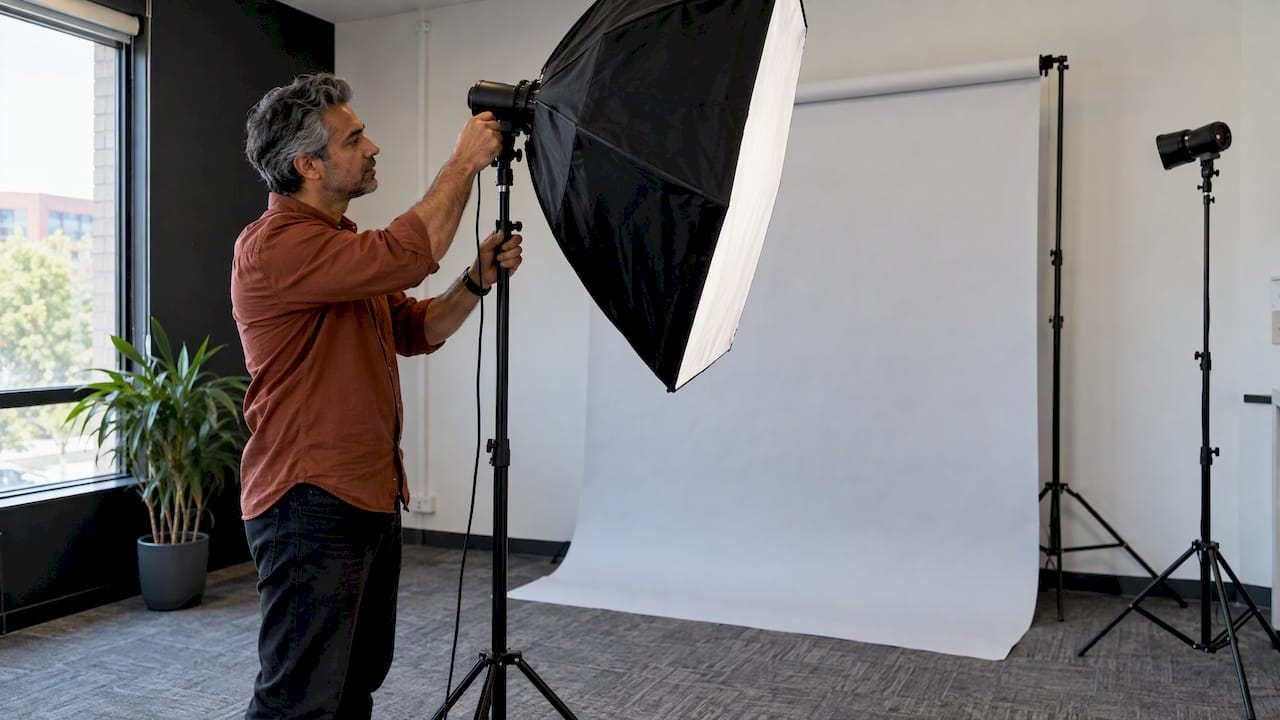
For most teams, a plain studio-style background is the safest choice because you can reproduce it in a year. A portable setup brought to your workplace gives you studio-level consistency without asking everyone to travel, and keeps time away from desks short.
If you want a specific brand colour, you do not need to hang a coloured sheet. Photographing against a plain background and changing the colour in retouching is a common way to hit an exact shade, which also makes it easier to match later.
Ask any photographer you speak to how they will keep the lighting the same from person to person. Lighting matters at least as much as the backdrop for consistency, and a good setup is adjusted slightly for height, glasses, hair, skin tone and face shape without changing its basic pattern. Ask, too, what backup equipment they bring if a light fails halfway through the day.
Making the set consistent without making it stiff
Consistency is a set of technical decisions plus an overall mood. Write down, and give to the photographer, the following:
- Background and its exact colour
- Lighting style (soft and even, or more directional)
- Framing: head and shoulders, or down to the chest; how much space above the head
- Crop ratio and orientation, with safe space for alternative crops
- Retouching level: light clean-up, not changes to how someone looks
- Image dimensions and file formats
- Overall mood: approachable, confident, relaxed
Note what is not on the list: identical expressions. A team where everyone has the same forced grin looks uncomfortable. Aim for a shared level of professionalism and warmth, not a matching face. Natural posing, relaxed hands and a calm photographer who gives direction in the moment do more for a team page than any rehearsed pose. Tell staff not to prepare a pose; a good photographer will guide posture, angle and expression on the day.
If you are adding to an existing set, share the current images with the photographer so they can match the lighting, crop and colour. That is also the best way to check the new set before you replace the old.
Run the day smoothly
On the day, the organiser’s job is to keep the queue moving and people calm.
- Prepare the room the day before: clear space, check there is room to stand back from the subject, and put up signs.
- Set up a check-in point with a list. Tick people off, and have the next two or three waiting nearby, not hovering at the shoot.
- Keep a quiet space for a last look in a mirror, with a lint roller if you have one.
- Offer water and a short break schedule for the photographer.
- Leave time for senior leaders. They often need a longer slot or additional looks for press and speaking use.
- Allow for delays. Build in a buffer, and tell staff you will message them if the queue runs late.
Two working models are common. The photographer can manage the process themselves, handling bookings, invitations and reminders. Or you can schedule internally with calendar invites and a participant list shared with the photographer. The first costs more in the photographer’s time but saves yours; the second is cheaper but needs a reliable organiser.
After the shoot: selection, delivery and housekeeping
Agree in advance how final images are chosen. Options include the photographer picking the best frame, each person choosing from a short gallery, or a manager selecting for them. Letting staff pick from a small set (three or four frames, not forty) usually produces the best mix of happy people and quick turnaround.
Once you receive the files:
- Check that the filenames follow a sensible pattern, such as first name and surname
- Save master files, web-sized versions and small thumbnails in a shared folder with a clear name
- Confirm the licence: where and for how long you can use the images, and whether staff can use theirs on personal profiles
- Store the photographer’s style notes with them, so the next shoot matches
Plan for absentees, remote staff and new starters
Some people will be off sick, on leave or travelling on the day. Do not let the set go out of date because of that.
- Absentees: book a short catch-up session, ideally with the same photographer and setup, within a few weeks.
- Remote staff: either fly them in for a day, arrange a local session using the same brief, or use a virtual option with strict instructions on lighting and framing. Be honest that remote images will not match perfectly.
- New starters: keep a repeatable process. Write the style down (backdrop, lighting, crop, retouching, mood) and arrange a mini-session every few months, or an annual re-shoot for the whole team.
A short style document is worth far more than it seems. It lets anyone in the business brief a new photographer without starting from scratch, and keeps your site, social profiles and documents aligned. If the photography sits within a wider brand refresh, our article on keeping your brand fresh year-round shows how often it is worth reviewing the visual side.
Our perspective
We see the same pattern with Oxfordshire businesses time and again. The photography is rarely the problem. The problem is that headshots get treated as a one-off favour from someone in the office, so the images end up in three different styles, none of them matching the website or the brand guidelines.
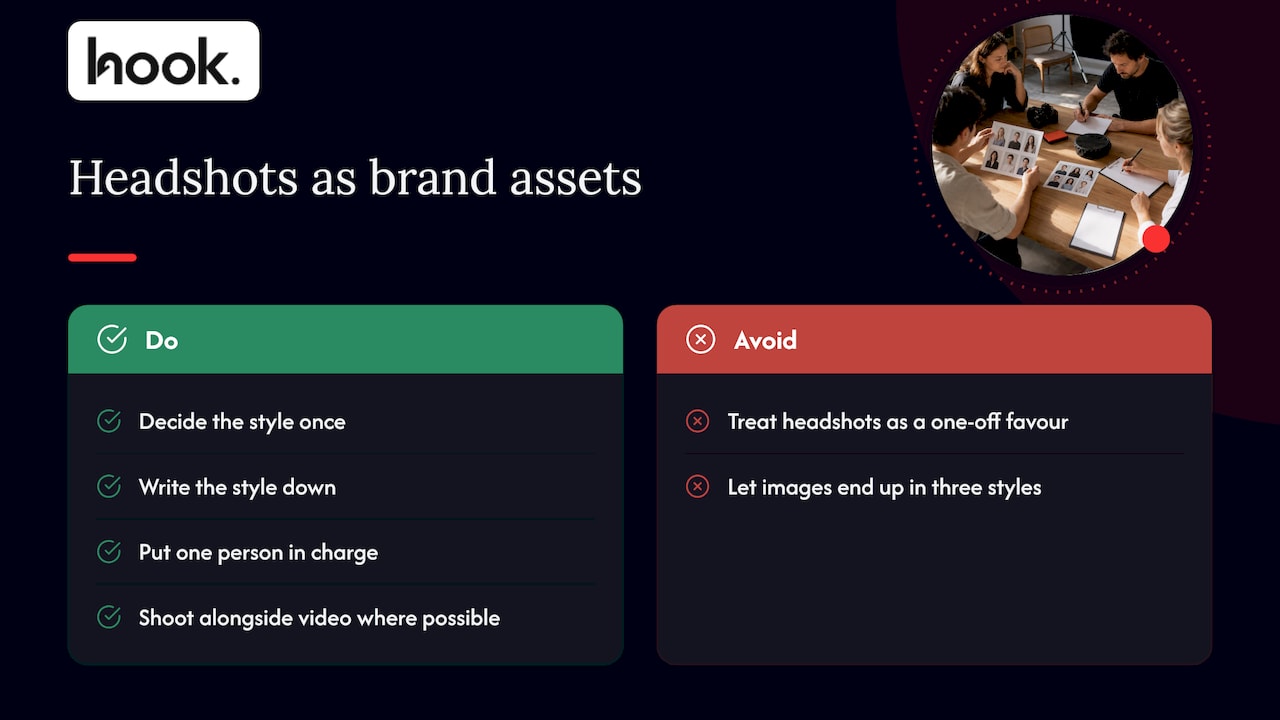
Our view is that staff portraits are brand assets. They sit on the pages where a prospective client decides whether to trust you, so they deserve the same thinking as your logo and your photography elsewhere. That means deciding the style once, writing it down, and putting one person in charge. It also means keeping the experience comfortable for your people: a relaxed, well-briefed team gives you better pictures than a nervous one, whatever the lighting.
We would also say this: if the headshots are going to appear alongside video, product images or a refreshed website, shoot them in the same session where you can. You save on set-up time and the whole visual identity ends up working together. For a deeper look, our post on headshots and people imagery explains why this matters for business.
— Hook
Staff headshots with Hook Digital
If you would rather not coordinate this yourself, we are a full-service marketing agency based in Oxford, and corporate and team portraits are part of our photography work. We can plan the brief with you, shoot at your premises or elsewhere, and make sure the finished images fit your website, social channels and brand. Because photography, design, video and web all sit with one team, the same people can then put your new portraits straight onto your pages and profiles.
See our photos and videos services, look at our photography portfolio or read about our commercial photography in Oxford. When you are ready to talk about scope, our pricing page explains how we work, and our projects are scoped to your needs without forced packages.
FAQ
How far in advance should I tell staff about headshot day?
At least one to two weeks, and two to three if you have several sites or a large team. That gives people time to choose an outfit, avoid a last-minute haircut and sort their diaries. Send a short written briefing with the date, place, time slot, purpose and clothing guidance, then follow up with a calendar invite.
How long does each person need?
It depends on the setup, so ask your photographer to recommend appointment lengths rather than assuming a fixed rate. For a quick studio-style session, 5 to 15 minutes each is a common planning range, with extra time for senior staff. Add setup time, breaks and a buffer for the day.
Should everyone wear the same colour?
No. Agree a formality level and a loose colour range, then let people choose. Solid mid-tones work best, and a spare jacket or top gives the photographer options. Matching exactly makes the team look like a uniform and can clash with the backdrop.
What backdrop is best for a whole team?
A plain studio background is the most repeatable. Grey suits varied clothing, white feels clean and bright, and a darker tone looks more formal if clothes and hair stay distinct. Choose the one you can recreate for future joiners, and write the exact shade down.
Do I need permission to use staff photos?
A photo that identifies someone is personal data, so you should tell staff how the image will be used and have a sound legal basis for publishing it. Check with your data protection lead or a qualified adviser, and agree a process for removing images when someone leaves or objects.
.png)


