

.webp)

.svg)
Website Maintenance Plans: 6 Checks UK Small Businesses Should Expect

A website maintenance plan is an ongoing service that keeps your site updated, backed up, secure and working properly, instead of leaving it to break quietly until something fails. For a small or medium business, the core scope should cover software updates, tested backups, security monitoring, uptime and performance checks, and basic content edits. Costs vary by site complexity, so the right next step is comparing what each quote actually covers rather than just the monthly figure.
TL;DR:
- Require updates tested on staging, verified restorable backups, security and mobile performance checks, minor content edits, monthly reports, and written urgent response times.
- Set daily backups and uptime checks, weekly security scans, monthly updates tested on staging, and quarterly performance, accessibility, and restore checks against written recovery targets.
- Choose retainers for predictable regular work, while hourly or pay as you go billing suits occasional fixes; complex ecommerce sites require more testing.
- Keep domain, hosting, and license credentials under your control, and request access records, a verified restore report, incident contacts, and an asset inventory before handover.
- Self manage only when an in house person has time and technical skills; hire an agency when revenue loss, outages, or firefighting costs rise.
Table of Contents
- 1. What to include in a website maintenance checklist
- 2. Typical costs and pricing models explained
- 3. Recommended schedule: daily to quarterly maintenance tasks
- 4. Security, backups and incident readiness
- 5. Tools, responsibilities and handover checklist
- 6. How Hook Digital approaches maintenance within a full-service workflow
- When to self-manage and when to hire an agency
- Hook Digital’s maintenance offer and how to start
- FAQ
1. What to include in a website maintenance checklist
A good proposal spells out exactly what gets done and how often, not just a vague promise to “keep things running”. When you’re comparing providers, use this as your baseline checklist:
- Software updates: CMS core, themes and plugins updated regularly, with changes tested on a staging copy before going live.
- Backups: automated backups taken on a set schedule, with retention rules and a verification step to confirm each backup actually restores.
- Security: malware scanning, firewall rules, patching of known vulnerabilities and basic server hardening.
- Performance and uptime monitoring: checks on page speed, downtime alerts and periodic reviews against Core Web Vitals.
- Content edits: text and image updates, small layout tweaks and minor development tasks handled without a separate invoice each time.
- Reporting: a monthly summary of what was done, plus a stated response time for urgent issues.
Mobile performance deserves particular attention here, since mobile devices account for around half of all website traffic, so a plan that only checks desktop speed is missing half the picture. A technical SEO audit at the outset gives you a baseline to measure these checks against.
Pro Tip: Ask any provider to show you a sample monthly report before you sign, not just describe one.
2. Typical costs and pricing models explained
Most providers bill in one of three ways: a monthly retainer with a fixed scope, an hourly rate for ad hoc work, or pay-as-you-go for occasional updates. Retainers tend to suit businesses that want predictable costs and regular attention, while hourly or pay-as-you-go arrangements fit sites that only need the occasional fix.
Pricing bands vary widely depending on site complexity and the provider’s own cost structure, so always ask what’s included at each tier rather than comparing headline figures alone. A basic brochure site with light edits and backups typically sits at the lower end of any agency’s range, while a site with ecommerce, bespoke integrations or custom code usually sits higher, because those elements need more testing time and specialist attention.
Watch for these signs of a poor-value offer:
- No mention of backup verification, only “we take backups”.
- Vague response times with nothing written into the agreement.
- A price that excludes security monitoring entirely.
- No clarity on who owns the content or code if you switch providers.
Our own pricing page sets out how we scope project and retainer costs without forcing you into a fixed package.
3. Recommended schedule: daily to quarterly maintenance tasks
Maintenance only works when tasks happen on a consistent schedule rather than whenever someone remembers. A sensible cadence looks like this:
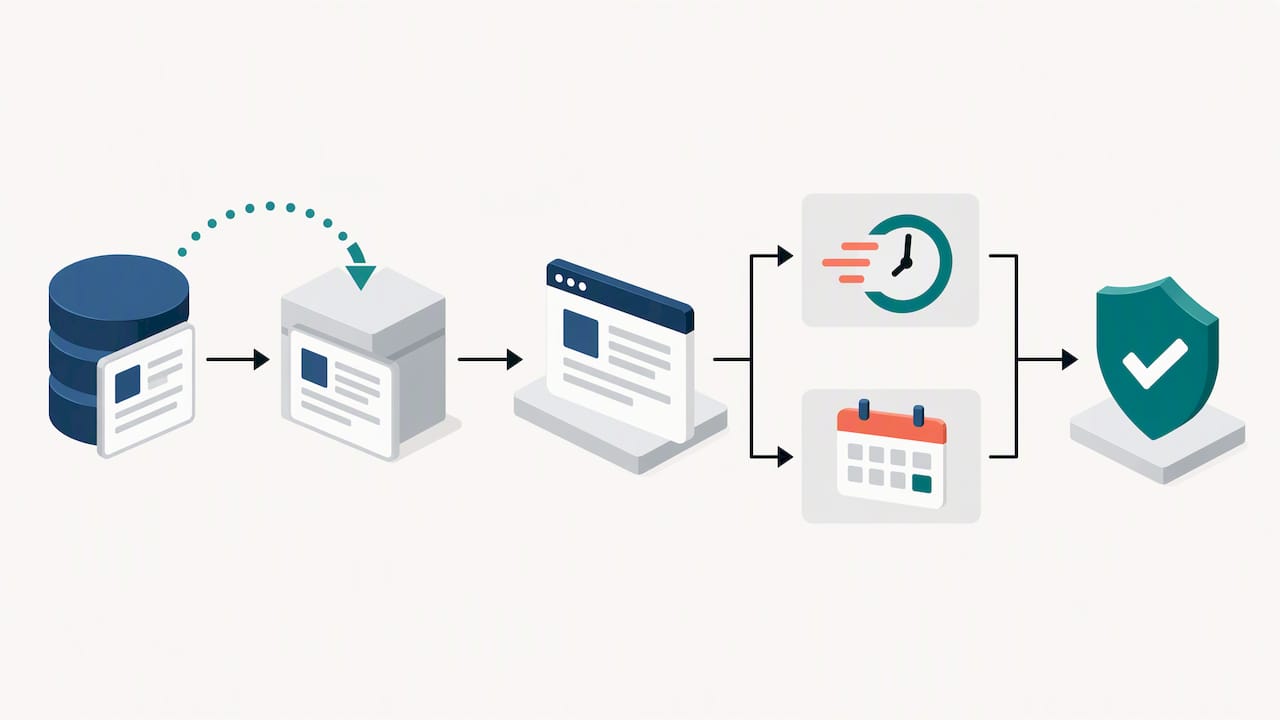
- Daily: automated backups and uptime monitoring.
- Weekly: security scans and review of any flagged vulnerabilities.
- Monthly: plugin, theme and CMS updates, tested on staging first.
- Quarterly: full performance review, accessibility spot-check and a test restore of a backup.
Retention matters as much as frequency. The NCSC’s guidance on ransomware-resistant backups recommends retaining copies by time period rather than a fixed count, which reduces the risk of a compromised version overwriting a clean one.
For restoration, a realistic SLA should state a recovery time objective and a recovery point objective in writing, not just “we’ll get it back up quickly”. A quarterly test restore confirms those targets are achievable before you actually need them.
4. Security, backups and incident readiness
Backups are only useful if they’re trustworthy, and that’s a point the NCSC’s guidance on mitigating malware and ransomware attacks makes directly: organisations should assume backups may have been targeted and seek assurance that they’re immutable and uncompromised before relying on them for recovery.
A maintenance plan built around that principle typically includes:
- Immutable backup storage that can’t be altered or deleted by a compromised account.
- Scheduled test restores, not just scheduled backup jobs.
- A documented incident response plan that names who does what if something goes wrong.
- Clear escalation contacts for out-of-hours security issues.
The NCSC’s small business cyber security guidance points to basic steps, regular backups and patching among them, as meaningfully reducing risk for smaller organisations, which is reassuring if your budget doesn’t stretch to enterprise-grade tooling.
When an incident does happen, the NCSC’s guidance on responding to cyber attacks recommends treating recovery as a structured programme, prioritising minimum viable operations so the business-critical parts of your site come back first. For anything beyond a routine malware clean-up, bring in a specialist incident responder rather than relying on general maintenance support alone.
5. Tools, responsibilities and handover checklist
Maintenance relies on a small stack of tools: a backup provider, an uptime monitor, a security scanner, and some form of analytics or real-user monitoring to catch slow pages before customers complain. None of these need to be expensive, but someone has to actually watch them.
Ownership matters just as much as tooling. You, not your provider, should hold the master copies of your domain registrar login, hosting account and any licence keys, even if your provider manages them day to day.
Before signing off any handover, ask your provider for:
- A full list of who has access to what, and at what permission level.
- A recent backup verification report showing a successful test restore.
- Documented escalation contacts for security incidents.
- An asset inventory covering themes, plugins, integrations and custom code.
6. How Hook Digital approaches maintenance within a full-service workflow
We treat maintenance as an extension of the build, not a separate afterthought bolted on afterwards. Our website design and development work and our SEO and performance optimisation sit alongside ongoing support, so updates, fixes and content amends come from people who already understand how your site was put together.
In practice, that means faster fixes because there’s no handover gap between the team that built the site and the team maintaining it, one point of contact instead of several agencies to chase, and a consistent focus on conversion rather than maintenance for its own sake. Because branding, content and paid media often sit under the same roof as the technical work, a content edit or a performance fix can be weighed against your wider marketing goals rather than treated in isolation.
When to self-manage and when to hire an agency
Self-managing suits you if someone in-house genuinely has the time and the technical comfort to handle updates, backups and security monitoring without it becoming a monthly scramble. It stops making sense once update volume grows, downtime starts carrying real compliance or revenue risk, or the hours spent firefighting cost more than a retainer would.
An agency retainer tends to offer better value once your site supports revenue directly or once a breach or outage would be genuinely costly to recover from.
— Hook
Hook Digital’s maintenance offer and how to start

We deliver website maintenance alongside design, SEO, content and paid media to simplify your service coordination. Project scopes are tailored rather than forced into a fixed package, and content or website amends typically turn around quickly.
If you’d like a clear picture of what a maintenance plan would cost for your own site, book a free marketing consultation and we’ll talk through what your site actually needs.
FAQ
What are the 7 C’s of a website?
The “C’s” are a marketing framework rather than a fixed technical standard, and definitions vary across sources. A common version covers context, content, community, customisation, communication, connection and commerce, used as a checklist for planning a site rather than for maintaining one.
How much does it cost to pay someone to maintain a website?
Costs depend heavily on billing model and site complexity: monthly retainers, hourly rates and pay-as-you-go are the three common structures. A simple brochure site typically costs less than one with ecommerce, bespoke integrations or frequent content changes, so always ask what each quote actually includes.
What should a maintenance plan include?
At minimum, a plan should cover software updates, tested and verified backups, security monitoring, uptime and performance checks, and basic content edits, with a stated reporting cadence and response time. Anything missing backup verification or a written SLA is worth questioning before you sign.
How do I do website maintenance?
Routine maintenance follows a cadence: daily backups and uptime checks, weekly security scans, monthly software updates tested on staging, and quarterly performance and accessibility reviews, including a test restore of a backup. Following NCSC guidance on ransomware-resistant backups on retention by time period adds meaningful protection against data loss.
.png)


